Tip of the Day: Swipe Left to Read More Stories in News App

Jim Karpen has been writing about technology since 1994 and brings decades of experience with Apple products, along with a Ph.D. in literature and writing.
Learn More Jim Karpen has been writing about technology since 1994 and brings decades of experience with Apple products, along with a Ph.D. in literature and writing.
Learn More
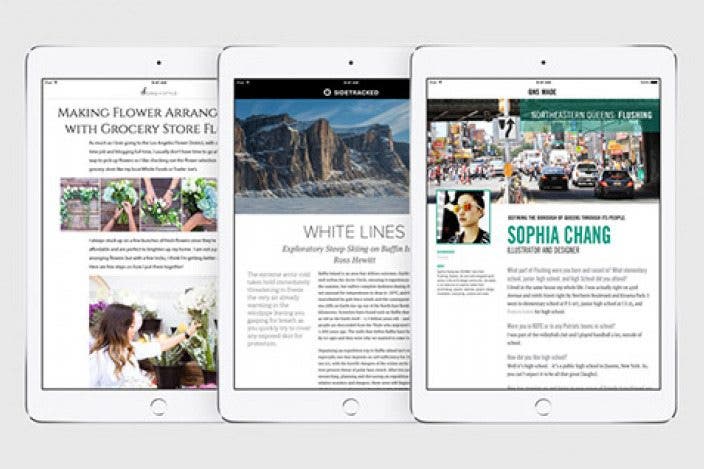
When Apple announced iOS 9, I got really excited about the forthcoming News app. And now that I'm using it regularly, I feel my excitement was warranted. Plus, I like the snappy and seamless manner in which one can toggle between the overview of the news and a specific story. And I recently learned there's an even easier way to return to the overview, as well as to read the next story without going to the overview.
When you tap on a specific story to read, the overview disappears into the background. In the past, to return to the overview I would swipe down on the news story and then tap the left-pointing arrow in the top left corner of the display. However, an easier way to return to the overview is simply to swipe from the left edge of the display.

In addition, when you finish reading a news story and want to continue on to read the next one, you need not go to the overview. You can swipe left in the center of the display, and the next news story will appear. Or if you swipe right in the center of the display, you can go to the previous story.


Every day, we send useful tips with screenshots and step-by-step instructions to over 600,000 subscribers for free. You'll be surprised what your Apple devices can really do.


 Olena Kagui
 Leanne Hays
 Rachel Needell
 Rhett Intriago



 Ashleigh Page