Go through dates quickly
By Anonymous
May 27, 2021
Updated May 27, 2021
By Anonymous
May 27, 2021
Updated May 27, 2021
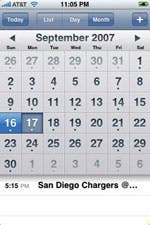 If you want to get to a particular date quickly in Calendar, simply tap and hold on the forward and backward buttons next to the day or month in the Day or Month views—the dates will fly by in no time. To get back to the current date, tap the Today button.
Hold down on the forward and backwardbuttons to get to a date quickly.

 Olena Kagui
 Rhett Intriago

 Amy Spitzfaden Both
 Rachel Needell





 Cullen Thomas