I've seen a number of posts around lamenting that various iPhone Alarm Clock applications can only play canned sounds or iPod tunes, but not Ringtones for an alarm sound (Although I've got to admit I can't imagine why anyone would want to think their phone was ringing at 6:00AM!?).
Actually, if your Alarm Ap supports iPod tune playing for alarm sounds, then, as they say, "You're in fat city".

To use a Ringtone for an alarm, simply open the Ringtone Library in iTunes; select the ringtone you want for an alarm and from the (iTunes) File menu select the "Show file in Window". This will open the Folder containing the Ringtone (or you can browse there manually by going to the iTunes>iTunes Music>Ringtones Folder on your computer).
Duplicate the desired Ringtone sound file then rename it from "xxxxxx.m4r" to "xxxxx.m4a" to make the iPhone think it is an audio (music) file.
Then drag/drop this (m4a) file into your iTunes Music Library (or use the iTunes File>Add File to Library..." menu function).
This adds your ringtone sound into the music library as a standard music item, which after re-syncing your iPhone will now show up as a Song choice in your iPod application.
You can now select that "song" in your Alarm Clock "Use iPod Song..." Sound selector and wake up to a "ringing" phone if you like to "snap to and leap out" in the morning.
For me, thank you very much, but I'll just stick with my nice soft (custom mixed) bird calls with crashing surf followed by nice soft wake-up music, but ended with a burst of rooster crowing (just to make sure I didn't fall back asleep!).

Alarm
I don't understand why you would need an alarm app. I use the plain old alarm that come with the iPhone. I wake up to "Funky Cold Medina" every morning. Life just doesn't get better than that!!!
Alarm Ap Need
Tracy - I agree, if an Alarm was all you wanted then the stock Apple Clock (with included Alarm function) would do just fine.
But when we travel, I wake a lot. The places and sounds are strange and when we have hiked I drink a lot of water and you know what happens to all that water at about 2:00AM!
When I wake up I like to know what time it is so I know if it's worthwhile to go back to sleep, or just get up early.
The Apple alarm only provides a wake alarm, but the Alarm Aps provide that AND nice big readable clocks that you can see from across the room (because the only outlet always seems to be by the TV set!).
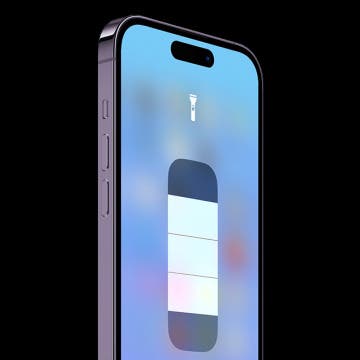
Thus, the Ap I described gives you not only an alarm function but also a nice readable clock, and even a "flashlite" to guide ones path to the bathroom.
Thus we can probably both agree that life doesn't get any better than that!
So, this will show the time
So, this will show the time all night long? or do you have to turn off the screen saver?
Night Display
Tracy -- The time DOES show all night. The Ap has an over-ride function that disables the native iPhone Lock. This allows the clock image to be displayed until you terminate the Ap. (You can disable this function if desired).
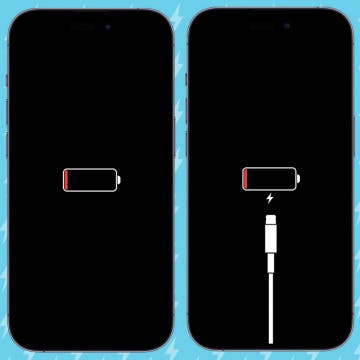
Note that if you have the iPhone brightness turned up to a high setting and leave the display on, that the battery could run down (depending at what charge state it started with).
To minimize this discharge, the Ap I described has a unique feature that utilizes the Proximity Sensor on the iPhone (that turns off the screen backlight when you bring the phone up to your face). Using this sensor allows the Ap to turn off the backlight when you place the phone face down on a (table) surface. This significantly extends the battery run time, as the backlight is the single biggest power consumption hog on the phone.
While you obviously can't see the time when the phone is face down, all you have to do is pick it up and turn it over to immediately see the time. Without this feature you would have to press the Home button and then swipe to start, in order to awaken the phone. Not an easy thing to do in the middle of the night!
If you are like me and charge your iPhone every night, so it i ready for the next day's action, then putting the charger in the bedroom and connecting the phone means that you can let the time display run all night for convenience while the phone is also charging.
Truely a win/win situation.