Home
chevron-right icon
Gestures & Device Navigation
Most Popular
Control Center
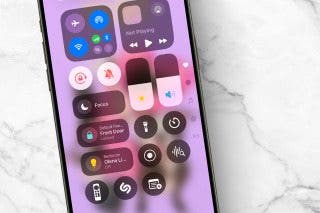
Quick Guide to iPhone Symbols on Top of the Screen
Conner Carey
•
Oct 23, 2025
Smartwatches & Fitness Trackers
How to Use Apple Watch Gestures
Olena Kagui
•
Dec 24, 2024
Apps
How to Use App Switcher on iPhone
Conner Carey
•
Sep 09, 2026
Apps
How to Go Back on the iPhone or iPad
Conner Carey
•
Jan 08, 2024
Apps
iPad Multitasking: Slide Over, Picture in Picture & Split Screen
Conner Carey
•
Sep 16, 2024
Apps
How to Use iPhone without Home Button: iPhone 14, 13, 12, 11, & X Series
Conner Carey
•
Mar 08, 2023
Accessibility
What to Do When iPhone Power Button Is Not Working
Rhett Intriago
•
Feb 22, 2024
Apps
Apple Watch Touch Screen Not Working? Fix It Fast!
Leanne Hays
•
Sep 16, 2024
Become an Apple device expert
Daily one-minute tips sent straight to your inbox.
Subscribe For Free
Latest Articles
Accessibility
How to Turn On Back Tap on the iPhone
Erin MacPherson
•
Jan 16, 2024
Mac
Apple Magic Mouse Gestures
Leanne Hays
•
Jan 16, 2024
Apps
How to Go Back on the iPhone or iPad
Conner Carey
•
Jan 08, 2024
Apps
How to Use iPhone without Home Button: iPhone 14, 13, 12, 11, & X Series
Conner Carey
•
Mar 08, 2023
Camera
Taking a Photo on the Apple Watch Got Even Easier with watchOS 9
Rachel Needell
•
Aug 25, 2022
Mac
How to Open Applications on Mac with Finder
Ashleigh Page
•
Feb 28, 2022
Gestures & Device Navigation
How to Get to the Home Screen on an iPhone with No Home Button (iPhone X & Later)
Conner Carey
•
Oct 31, 2021
Gestures & Device Navigation
How to Use the Scroll Bar on the iPhone, the Fastest Way!
Tamlin Day
•
Sep 28, 2021
Apps
How to Browse Using Keyboard Shortcuts on Your iPad
Conner Carey
•
Sep 15, 2021
arrow-left icon
1
arrow-right icon
Related topics
Action button
Walkie-Talkie
AirPods Pro 3
Location Services
iPhone 11 Pro & 11 Pro Max
GarageBand