How to Add Favorite Contacts on iPhone

Hallei has a background in creative and professional writing, with a focus on clear communication and creative thinking.
Learn More Hallei has a background in creative and professional writing, with a focus on clear communication and creative thinking.
Learn MoreWant to know how to get in touch with your favorite people even faster? On iPhone, you can favorite contacts so that you can reach them easier. You can set a default contact method and then just tap their name and get instantly connected by whichever option you choose. So text, call, and FaceTime with just a tap by adding contacts to Favorites on iPhone!
Why You'll Love This Tip:
- Reach your favorite contacts quickly from the Phone app.
- Call or text close friends and family members with the touch of a button.
How to Add a Favorite Contact on iPhone
System Requirements
This tip works on all supported iPhones and was run using iOS 18. Find out how to update to the latest version of iOS.
In the past, speed dial was how you would quickly call your most frequent contacts. Today, the iPhone has a Favorites list that serves essentially the same purpose. When a contact is in your Favorites list, you can tap their name and immediately start a text conversation, a phone call, or a FaceTime call. For more handy iPhone pointers, be sure to sign up for our free Tip of the Day newsletter. Now, here's how to add favorites on iPhone:
- Open the Phone app, and tap Contacts.
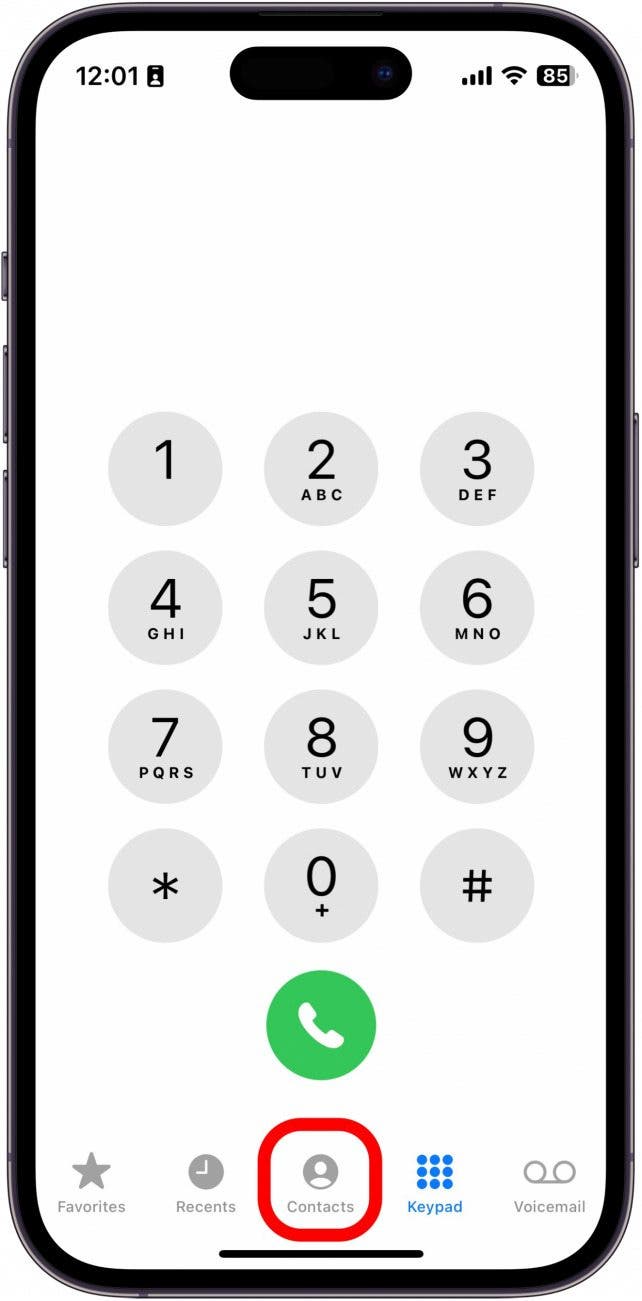
- Find the contact you want to add to Favorites and tap their name.

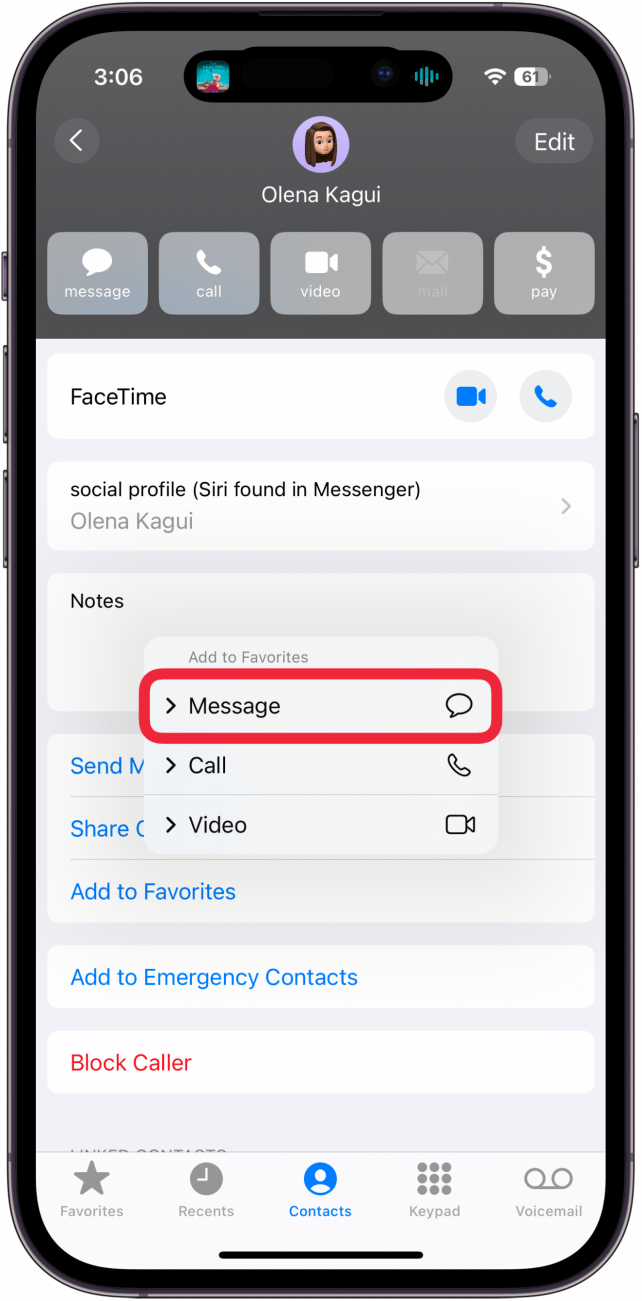
- Scroll down and tap Add to Favorites.
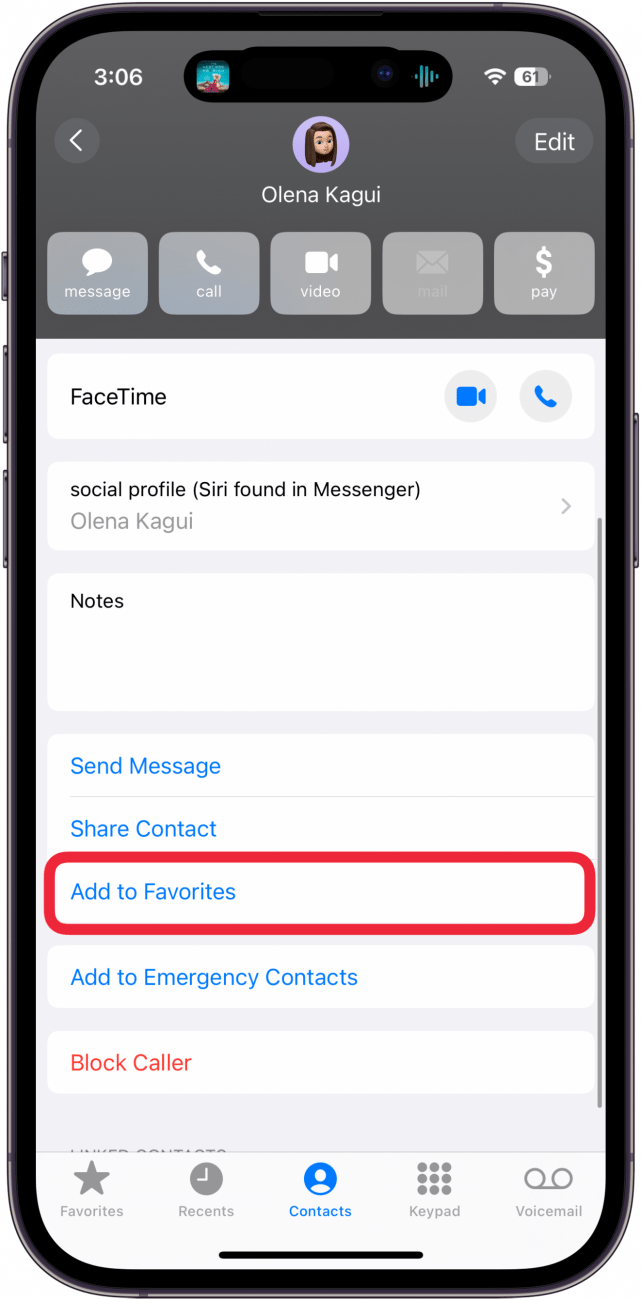
- On the menu that pops up, you can choose how you want to quickly get in touch with your contact.
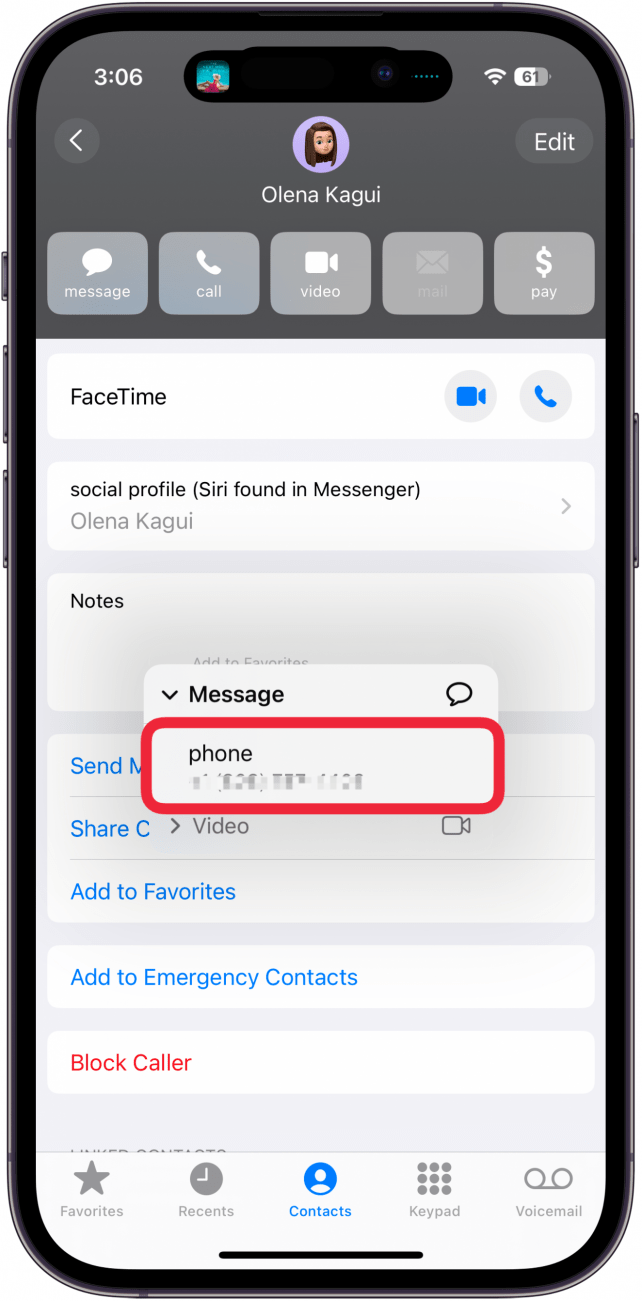
- If your contact has more than one phone number or email address, you will need to select which one to add to Favorites.
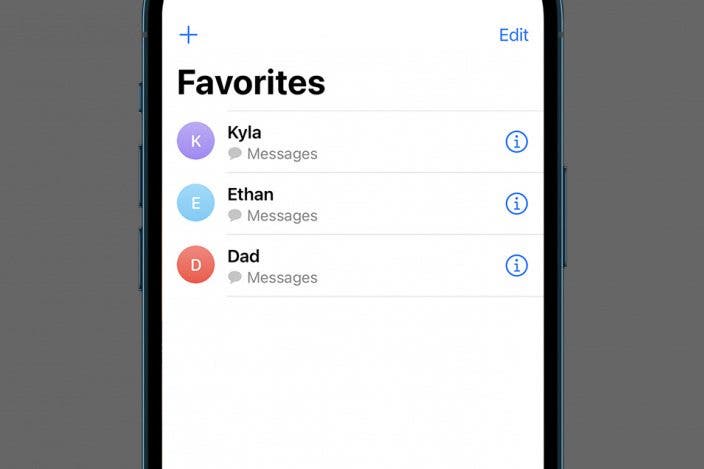
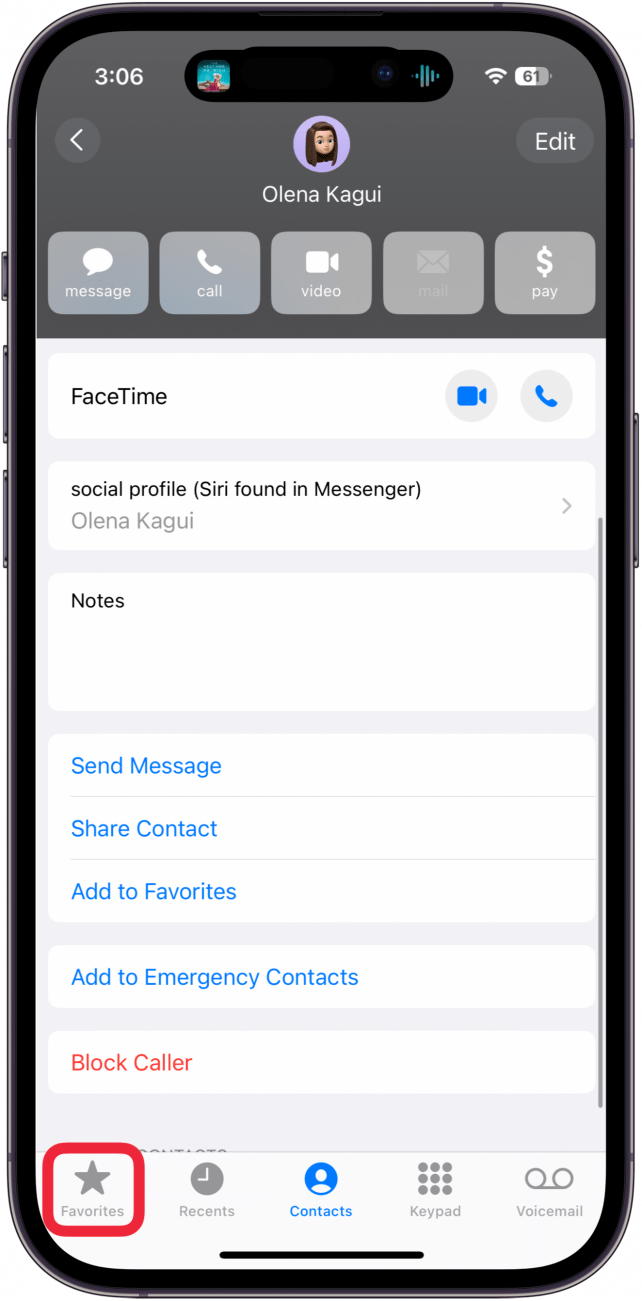
- Tap Favorites in the lower left corner.
- You can tap the Contact name in this list to quickly reach them via whichever method and phone number/email address you selected in steps 4 and 5.
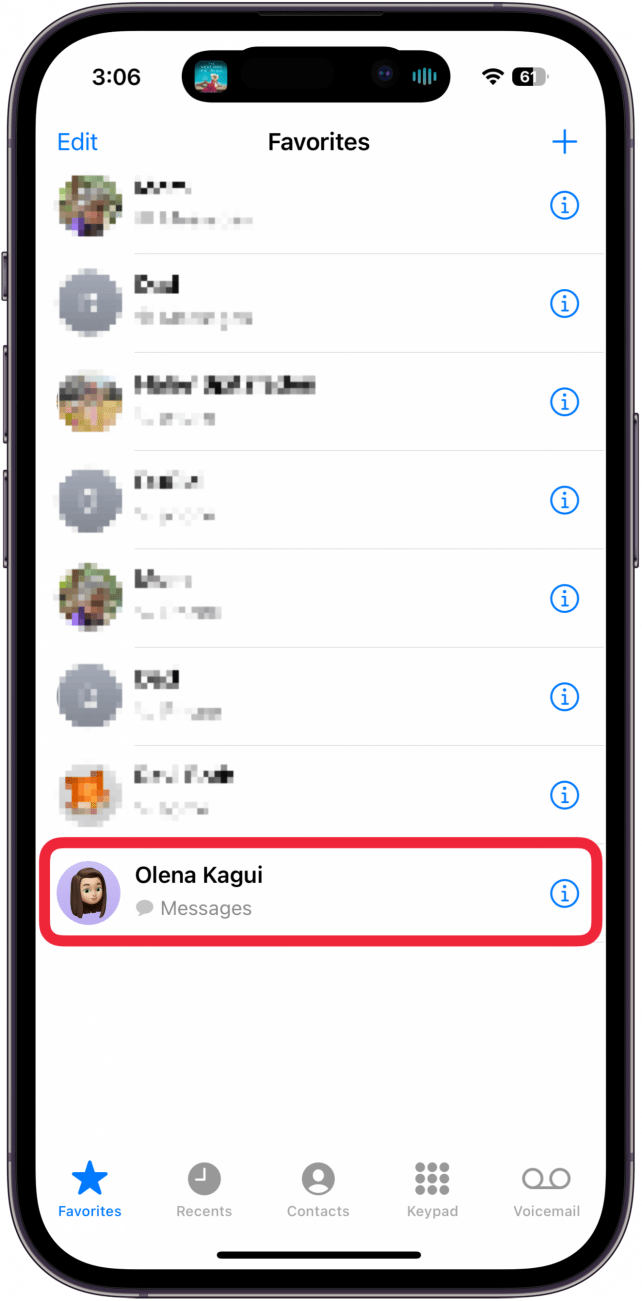
- You can tap the info icon to open the contact card for your Favorite contact.
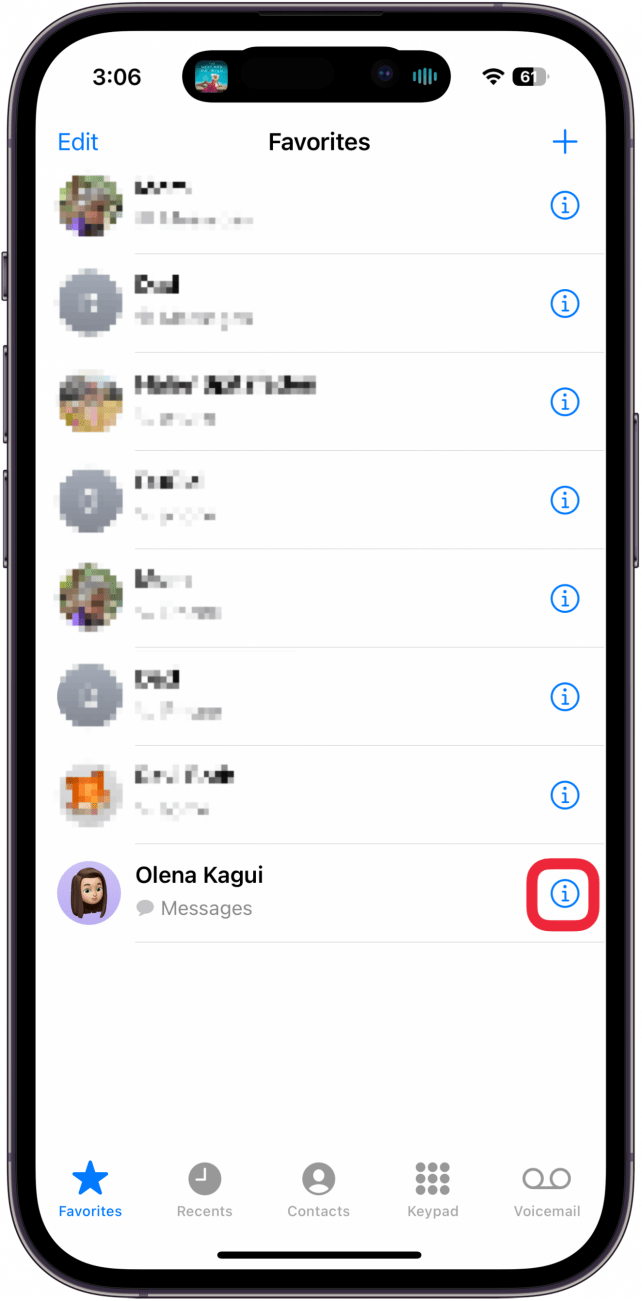
- You can also tap the plus icon on this screen to add contacts to your Favorites list. The process is essentially the same as the steps above, except you won't need to open the contact card.
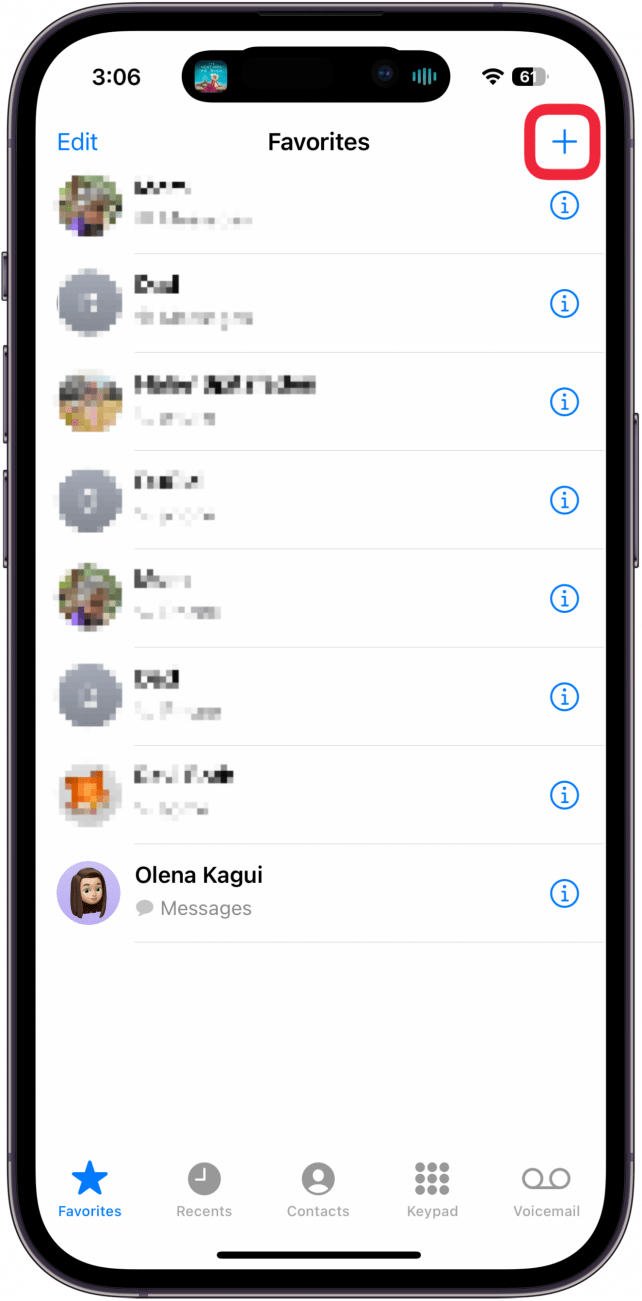
Now you know how to add contacts to Favorites on iPhone! Using the Favorites feature can streamline how you get in touch with friends, coworkers, and others. Instead of opening Messages or FaceTime, you can simply open your Favorites list and tap who you want to contact.

Every day, we send useful tips with screenshots and step-by-step instructions to over 600,000 subscribers for free. You'll be surprised what your Apple devices can really do.

Hallei Halter
Hallei is a 2018 graduate of Maharishi University of Management with a BFA in Creative & Professional Writing. She's currently working on a novel about people using witchcraft to clean their houses.
 Rachel Needell
 Olena Kagui
 Rhett Intriago
 Leanne Hays




 Ashleigh Page


 Amy Spitzfaden Both