How to Control F on iPhone: Spotlight Search 101

Conner is a feature writer and contributor to iPhone Life, as well as an author, poet, and content creator.
Learn More Conner is a feature writer and contributor to iPhone Life, as well as an author, poet, and content creator.
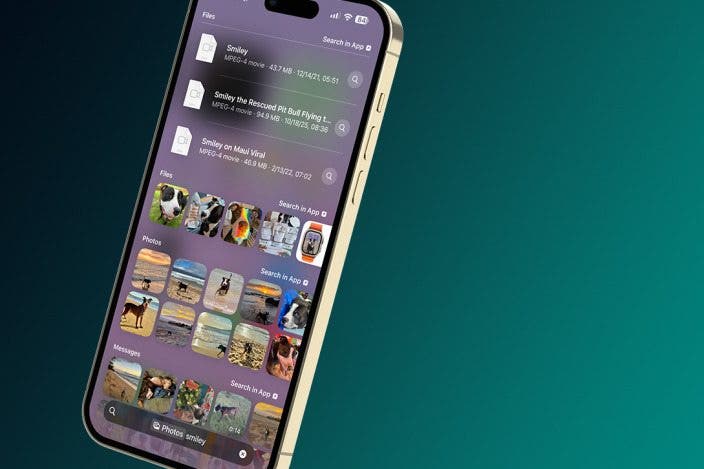
Learn MoreA fast search using Spotlight can help you find anything on your iPhone. It is equivalent to pressing the Control and F keys on a computer. Spotlight Search can help you find apps, text messages, and even photos. I’ll walk you through doing a quick search to find anything that’s on your phone!
Why You'll Love This Tip
- Find anything on your phone in seconds using Spotlight search aka CTRL+F for iPhone.
- Perform a general search across all apps in case you don't know what app it is in.
- Search for text within photos and screenshots.
Spotlight Search iPhone Step by Step
System Requirements
This tip was performed on an iPhone 17 Pro Max running iOS 26.3. Find out how to update to the latest version of iOS.
People often wonder, "can you Ctrl F on iPhone?" While there is no equivalent keyboard shortcut on iPhone, Spotlight Search does the exact same thing! For more iPhone tricks, don't forget to check out our free Tip of the Day newsletter. The Spotlight app lets you do a quick search to help you find anything on your iPhone:
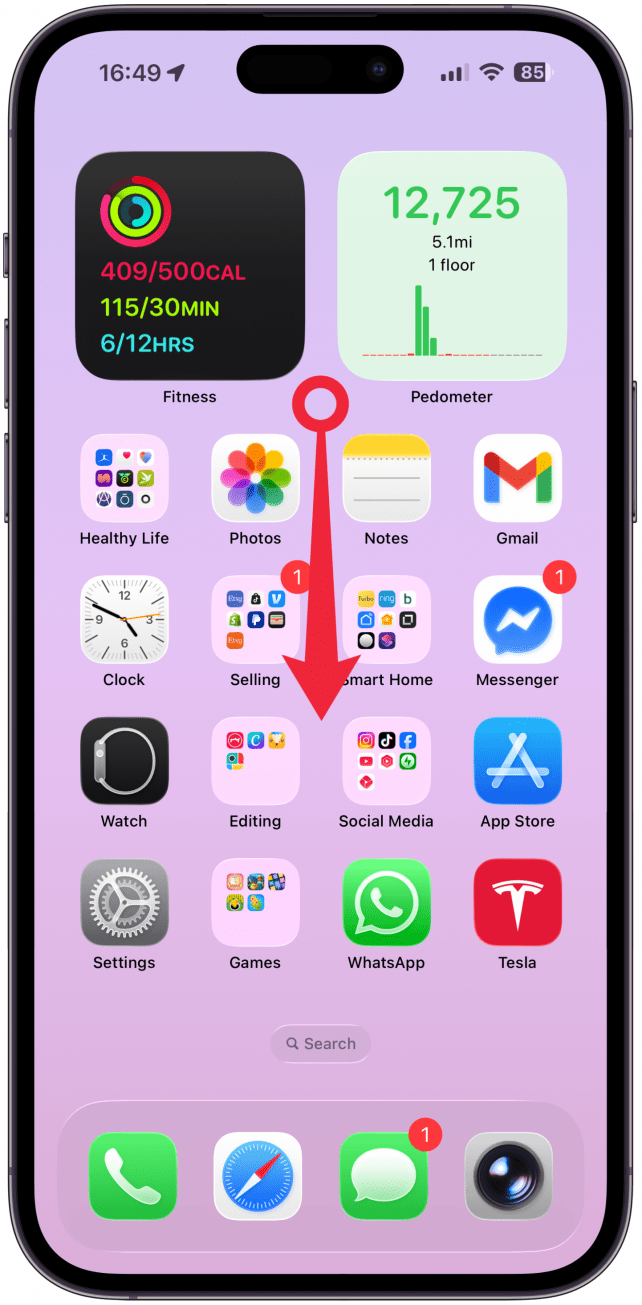
- Swipe down on your Home Screen.
- Type your search term. You will see the results in Messages, Photos, Apps, etc.
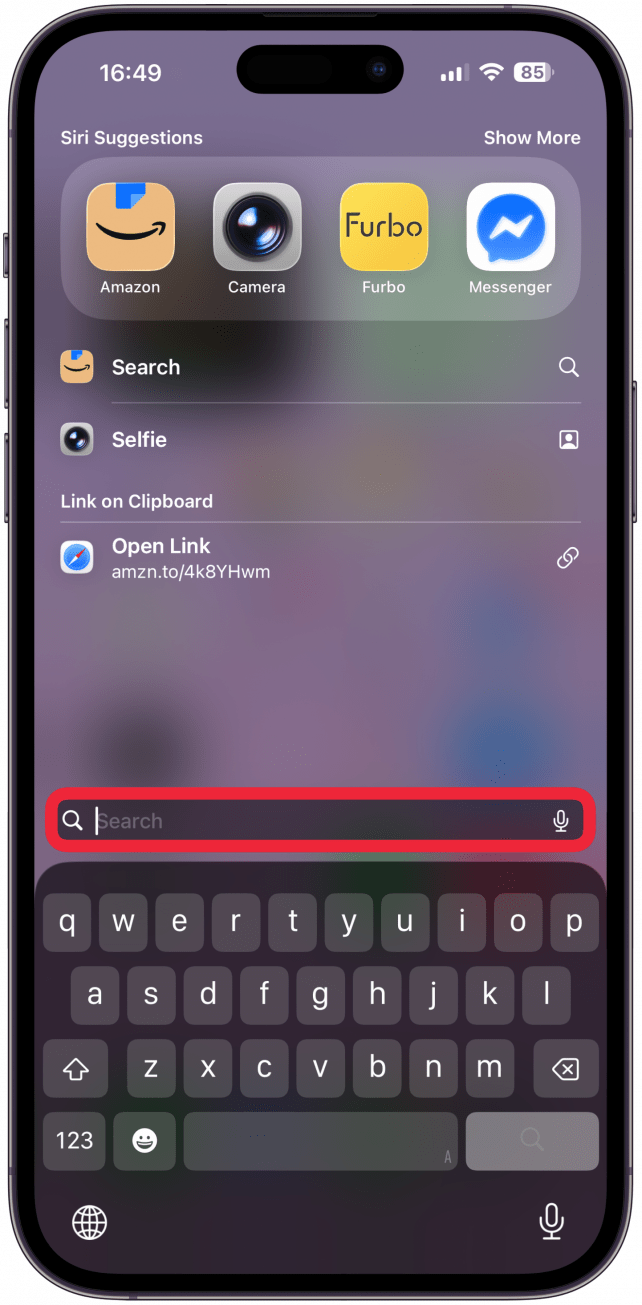
- On the right you will be able to search for that term withing an app, sometimes if there are many app options, you will have to tap Show More first.
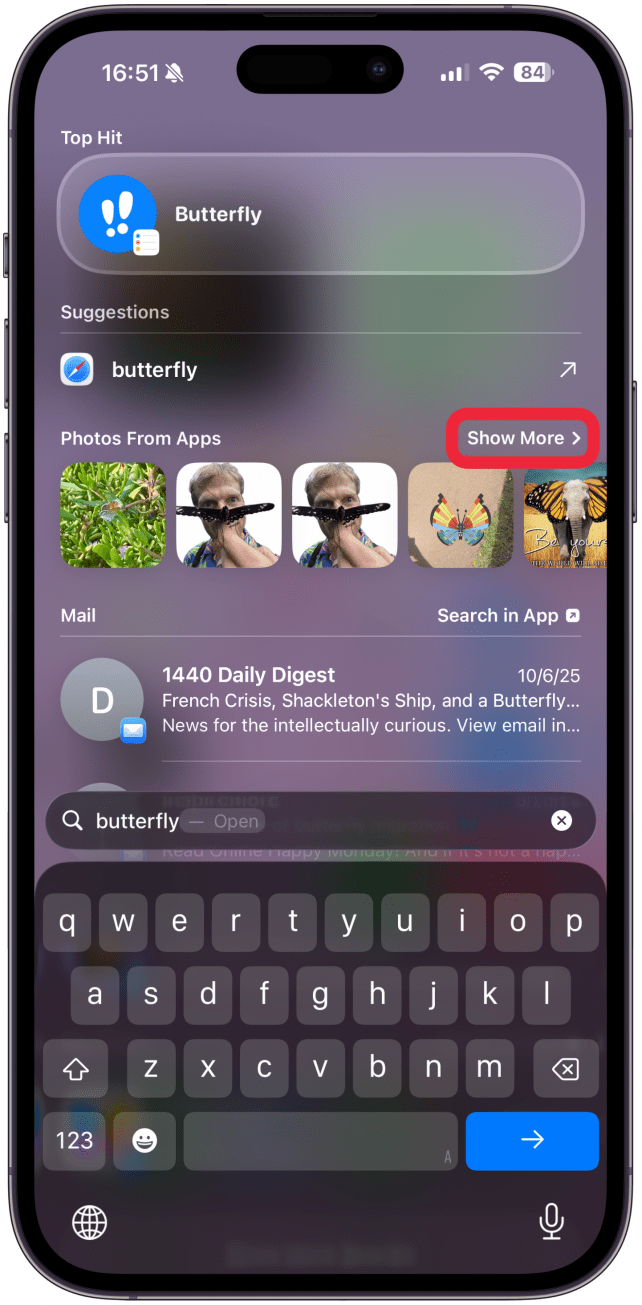
- If you tap on an app, you will be taken to the search results within that app.
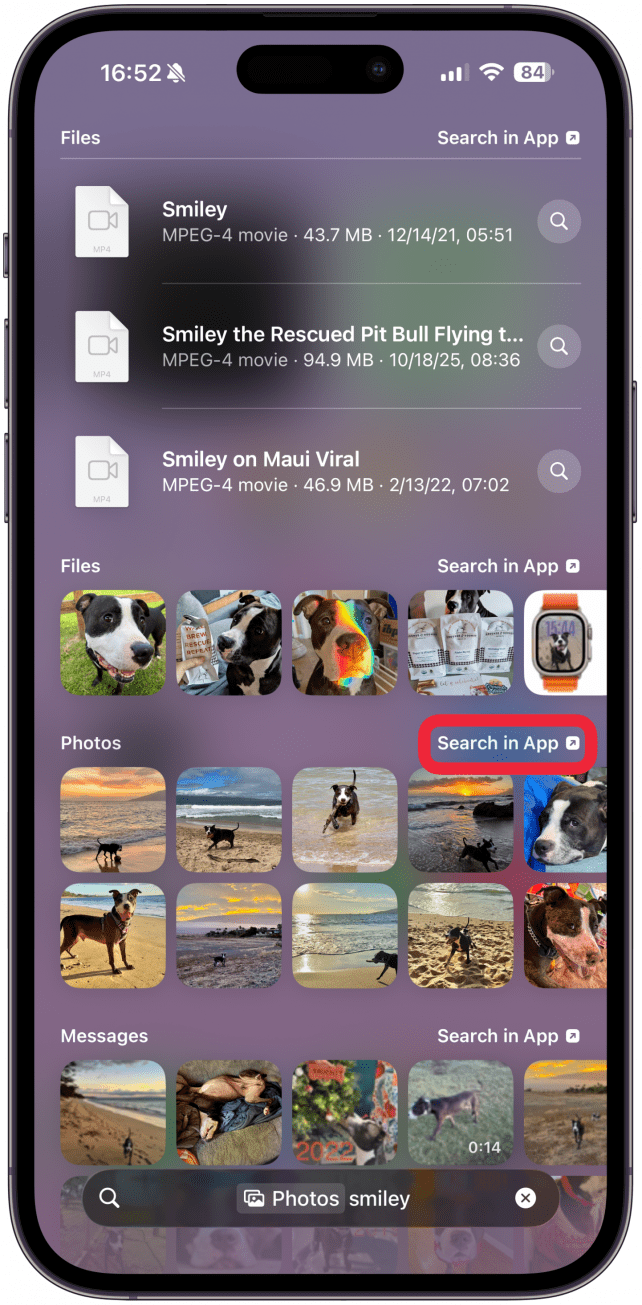
- Here's what that looks like when you search within the Photos app via Spotlight search.

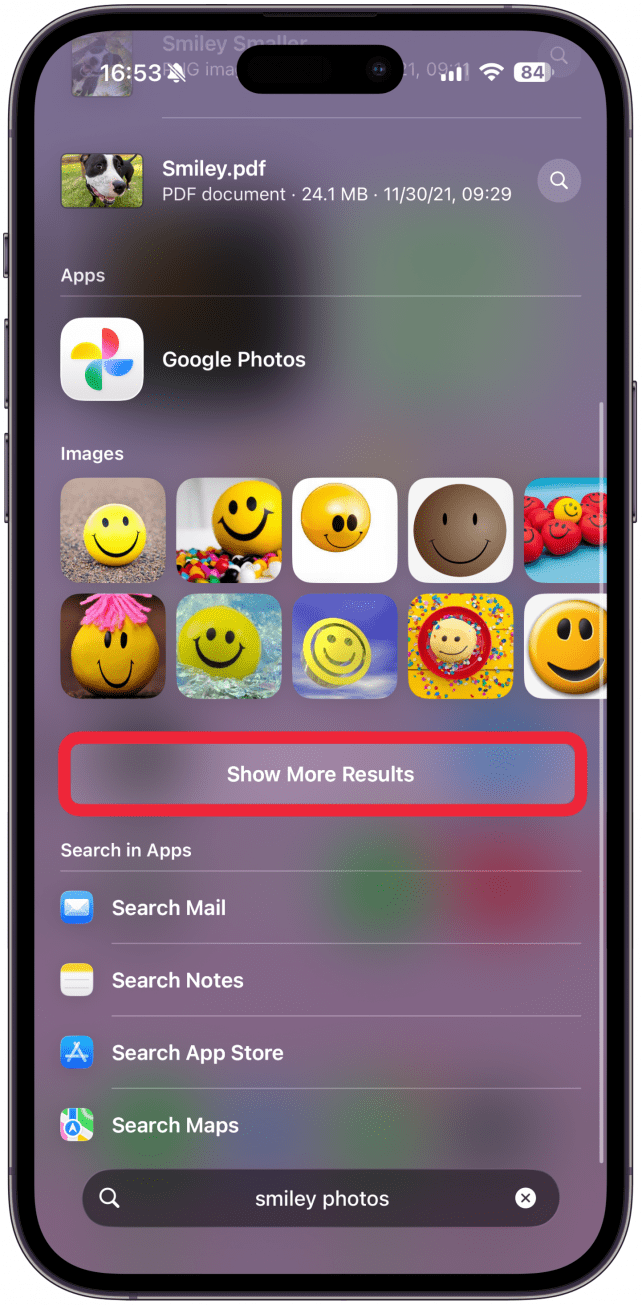
- If you tap Show More Results, you will see more relevant apps and results.
Pro Tip
Spotlight search will also recognize text within photos in various apps, so you now also know how to search text on iPhones running iOS 15 and newer.
Now you know how to CTRL F on iPhone and see how easy searching your phone is with Spotlight! It can be used to find lost text messages, locate screenshots, and even look up words in the Apple Dictionary. You may have to tap Show More Results to see the definition. Next, learn how to do quick math using Spotlight Search.
More On: iPhone Search

Every day, we send useful tips with screenshots and step-by-step instructions to over 600,000 subscribers for free. You'll be surprised what your Apple devices can really do.

Conner Carey
Conner Carey's writing can be found at conpoet.com. She is currently writing a book, creating lots of content, and writing poetry via @conpoet on Instagram. She lives in an RV full-time with her mom, Jan and dog, Jodi as they slow-travel around the country.

 Rachel Needell
 Olena Kagui


 Rhett Intriago
 Leanne Hays