In the past, managing multiple Instagram accounts required logging in and out to switch between them. Nowadays, if you want to have two accounts on Instagram, you can toggle between your multiple accounts seamlessly. Making a second Instagram account is relatively easy to do with the right instructions. Having multiple Instagram accounts is ideal for those who need an Instagram business page, are social media managers, or have super cute pets that they want to create Instagram accounts for.
Third-Party Apps
The Must-Have iPad App for Artists, Designers & Creatives
By Conner Carey
For years I’ve heard about the app Procreate. But only recently was I able to download the app and try it with Apple Pencil on iPad for myself. I am certainly no visual artist, but I was immediately amazed by the capabilities and user-interface of Procreate. The app somehow manages to be both user-friendly and built for professionals. I expected a steep learning curve having used various other design software in the past. To my surprise, a couple YouTube videos and a few questions answered via Google were all I needed to feel like I had a grasp on how to use the app. Learn more on what it does and why we love it below.
5 Best Free Cleaning Apps for a Spotless Home
By Amy Spitzfaden Both
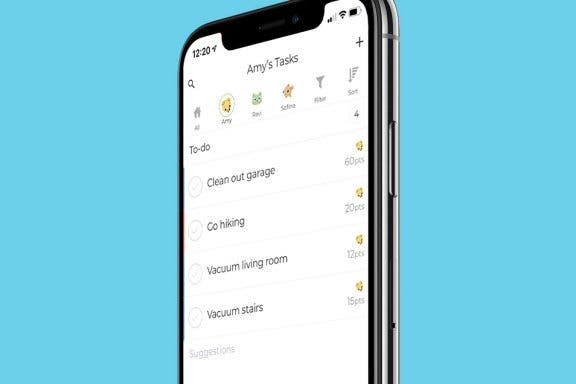
A good house cleaning app can be a lifesaver when you're trying to keep your home organized. Not only can it remind you to clean those spots you keep forgetting, but it can also help break down what can seem like insurmountable tasks into bite-sized pieces. Better yet, many can be shared with other household members so that the app can pester them to do their chores and save you the trouble. Here are the best cleaning apps we've found to keep your household running smoothly.
7 Best Mac Apps for Computers with the M1 Chip
By Mike Riley
Apple Silicon Macs became available near the end of last year. These portable devices feature the M1 chip, Apple’s custom ARM-based processor, much like the ones that power iPhones and iPads. Consequently, Apple has promised that iOS applications will run on Apple Silicon systems without modification.
The Best Reading Apps for iPhone & iPad Users
By August Garry
Are you looking for your next great beach read? Hoping to keep your kids or grandkids reading during the summer break? We’ve done our research into the best reading apps, so you can skip reading reviews and get straight to reading your favorite books. From free book apps to reading apps for kids to audiobook apps, we’ve got you covered.
How to Add Funds to Your Apple ID Account on an iPhone, iPad, or Mac
By Hallei Halter
You can add money to your Apple ID account for App Store purchases or use Apple Pay without having to use a linked card. Here's how to add funds to your Apple ID directly. If you budget your app or iTunes purchases, you can even load the balance you want to spend and make purchases accordingly.
How to View All the App Store Purchases You've Ever Made
By Hallei Halter
I recently upgraded my iPhone to one with more storage space, so I decided to redownload the apps I'd previously removed when I wanted to save space on my old device. An easy way to do this is to view all your apple purchases and tap to download them again. Here's how to view all App Store previous purchases, including free apps.
Want to know how to transfer photos from your camera to a Mac or scan documents? Here's how to use the Continuity Camera feature on the Mac, which enables you to scan documents or take photos on your iPhone and instantly have them uploaded on your Mac. Your Mac needs to be updated to macOS 10.14 or later and your iPhone to iOS 12 or later. You won't have to use AirDrop or have your device physically connected to the Mac with a cable for this tip. However, both your iPhone and Mac do need to be connected to the same Wi-Fi network with Bluetooth enabled and be near each other (like in the same room). Both Mac and the iPhone will also need to be signed in to iCloud with the same Apple ID using two-factor authentication.
The 8 Best 3rd-Party Apps iPad for Apple Pencil
By Olena Kagui
An Apple Pencil is a great tool that can help you make the most of your iPad. It can be used for drawing and designing, or simply to taking quick notes by hand. There are many iPad Apple Pencil apps that help you explore your creativity and boost productivity. Check out these third-party Apple Pencil-compatible apps that will allow you to step up your iPad game.
How to Send or Redirect Email to Your Primary Gmail Inbox
By Leanne Hays
Have you waited for an email to arrive in your Primary Gmail inbox, but it never appeared? Gmail has multiple inboxes, or tabbed inboxes, and your email may have been delivered to your Social, Promotions, Updates, or Forums tab instead. Gmail usually does a good job sorting your email into these different categories, but sometimes gets it wrong. Don't worry; you can not only move your email to the correct Gmail inbox, but make sure that emails from that sender are directed to your Primary Gmail inbox in the future. Here's how to move an email between Gmail categories and redirect future emails from that sender to your Primary email inbox.
Some iPad and iPhone apps require mic and camera access to function properly, and some don't. Apple has introduced new app privacy settings with iOS 14, which allow users to customize access to personal data like photos and videos, app by app, choosing to allow full access, partial access, or no access at all. There's also a way to check microphone and camera access in your Settings app. This way, you can change camera and microphone settings for any app, all in the same place, so apps that don't need to listen to you or see you can't. Let's learn how to allow camera access on your iPhone and iPad or turn it off, and how to allow microphone access, or turn off access to your iPhone or iPad microphone.
Making plans to meet at a particular location goes more smoothly when you share directions from the Google Maps or Apple Maps app on your iPhone or iPad. Are you wondering, "how do I share a route on Google maps on my iPhone?" We'll show you how to find and share Apple Maps and Google Maps driving directions, and how to create driving directions with multiple stops with the Google Maps app.
There are thousands of apps available that you can use to reach out and let someone know you care. Whether you'd like to share a laugh with a meme app, send a poem via a poetry app, create personalized cards to mail to friends, or share an interesting recipe or article, there's an app for that. If you want to send tangible help in addition to your good wishes, use the Grubhub app to order meal delivery from a local participating restaurant. If your friend or loved one needs groceries or other household supplies, check out our social distancing app roundup for more great ways to help. You’ll rest well knowing your loved one is taken care of, and they’ll appreciate the gesture!
How to Rent Movies & Shows from Amazon Prime
By Tamlin Day
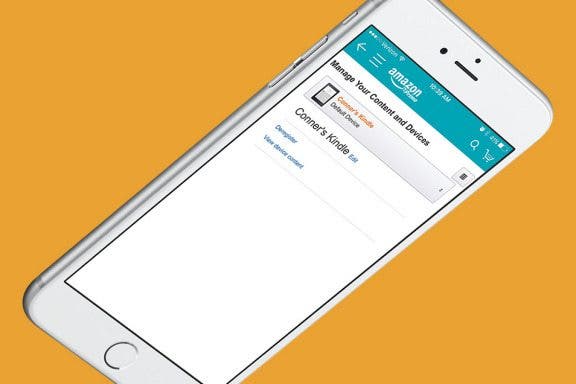
Want to learn how to rent a movie on Amazon Prime to watch on your iPad or Apple TV? Movies and shows can be an exciting way to pass the time, but Amazon sure doesn’t make rentals easy on the iPhone, iPad, or Apple TV. With so many different Amazon apps, why is buying and renting movies and TV shows so hard to figure out? Don’t worry; we’ve got you covered to make your next family movie night a success.
How to Change Your Default Gmail Account
By Tamlin Day
Want to change the default Gmail account in the Mail app? To change the email on an iPhone from one default to another, you have to go into the Settings app. You can make a Google account the default email address, but if you have more than one Gmail account, this tip will teach you how to select a specific Gmail address. Choosing your preferred email address helps your contacts know that the email you just sent really did come from you and could save you from getting filed as junk. Read on to learn how to change the default email on an iPhone to a Gmail account.
iOS 13 has a whole slew of new editing tools for you to explore—from auto editing, to vibrance, to color saturation, to photo cropping. And with the new features of the dual camera on the iPhone 11 and 11 Pro, including the Ultra Wide camera, Night Mode, an upgraded Portrait Mode, Smart HDR, Quick Take videos, and slow-motion selfies (a.k.a. slofies), you will never want to stop taking photos and videos! If you want to take your photo editing skills to the next level, check out these photo apps that will enhance your shots.
In every issue of iPhone Life magazine, we feature the iPhone Home screens of people from different walks of life, so our readers can see how they use iPhone apps to meet a variety of needs. In our Spring 2020 issue, we featured photographer and blogger Amber Faust, who uses her iPhone for social media, photo editing, games, weather, and more. If you have a story and apps you'd like to suggest, email Tamlin Day, and we may feature you in an upcoming issue of the magazine!
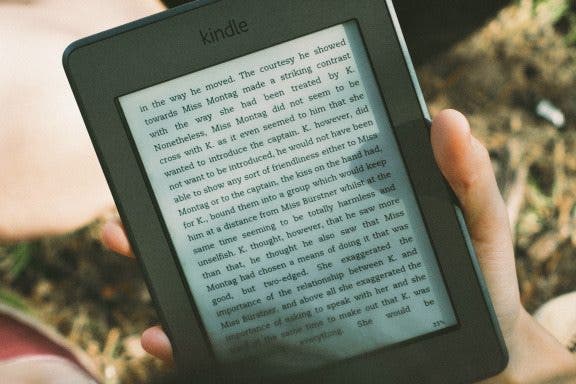
We've already shown you how to buy Kindle e-books on your iPhone or iPad, but did you know that there's a whole library of free e-books available for anyone who knows how to find them? There are literally thousands of books to read, in e-book form, and audiobooks as well, if you know where to download them. Come along, bookworm, and we'll reveal the reading apps that offer more free books to read than you can get through in a lifetime.
In every issue of iPhone Life magazine, we feature the iPhone Home screens of people from different walks of life, so our readers can see how they use iPhone apps to meet a variety of needs. In our Spring 2020 issue, we featured fashion designer and blogger Louisa Moje, who uses her iPhone apps for photo editing, social media posting, meal planning, personal finance, and more. If you have a story and apps you'd like to suggest, email Tamlin Day, and we may feature you in an upcoming issue of the magazine!
If you love hiking in the mountains, camping and fishing at a favorite lake, or just going for a walk in the woods, you likely already know that time in nature does a world of good for both physical and mental health. Researchers at the University of East Anglia performed a meta-analysis of more than 140 studies completed in 20 countries that objectively confirms these subjective impressions. Exposure to wild spaces reduces the production of stress hormones, lowers pulse rate and blood pressure, decreases sleep disturbances, and increases happiness, well-being, and even creativity. For many people, spending time in the great outdoors, whether for an afternoon or weeks at a time, means a break from technology. But there are so many practical benefits of having your phone with you! So before you escape to the woods to eat roots and berries and forget human speech, think about adding some of this essential camping gear and equipment to your packing list. While you're at it, check out our collection of travel, hiking, plant identification, and bird apps.