Rewrite Text in a Snap with Apple Intelligence
By Rhett Intriago
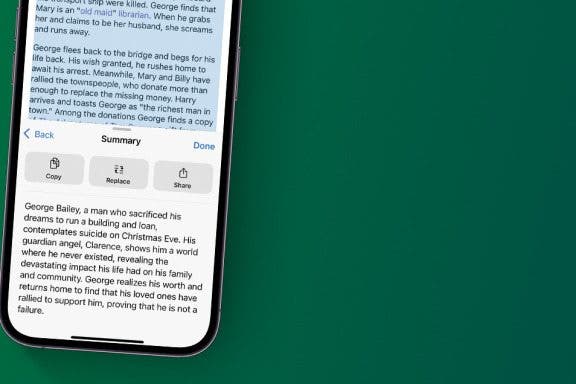
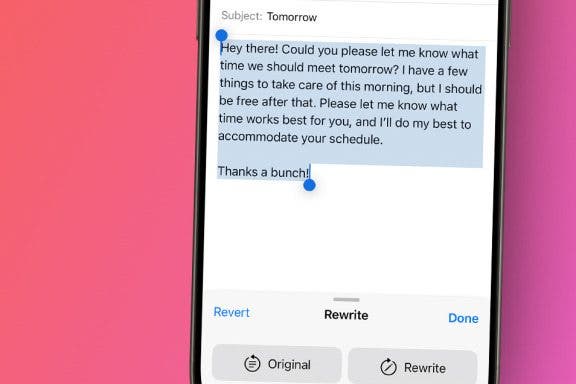
Now, there's an easy way to rewrite any text or email in just a matter of seconds. With Apple Intelligence, you can now let your iPhone’s AI rewrite text for you. We'll show you how!
By Rhett Intriago
Now, there's an easy way to rewrite any text or email in just a matter of seconds. With Apple Intelligence, you can now let your iPhone’s AI rewrite text for you. We'll show you how!
By Rhett Intriago
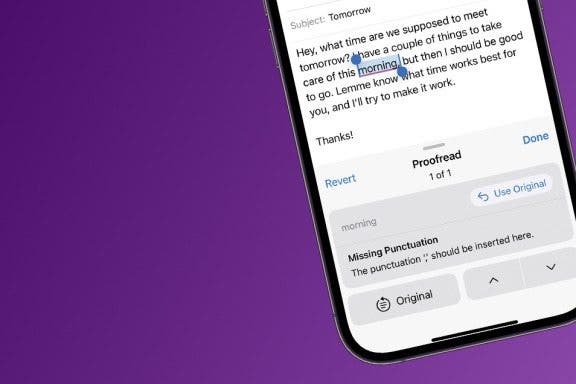
Apple’s new AI-powered tools can rewrite and proofread anything you type, from texts to friends or emails to coworkers. Find out how to use AI proofreading on your iPhone using Apple Intelligence.
By Rhett Intriago
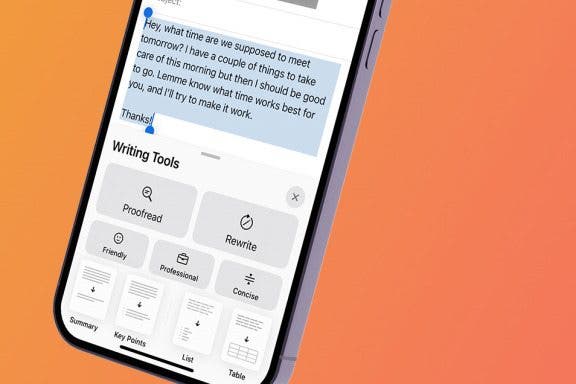
Having trouble figuring out how to word that important business email? Or maybe you’re quite sure how to word a text to your friend. Apple’s Writing Tools are here to help. Find out how to use Apple Intelligence to rewrite texts.
Do you want to delete messages on your iPhone but keep them on your Mac? Deleting messages on your iPhone and keeping them on your Mac is possible if you unsync iCloud Messages on your Mac; here's how!
By Conner Carey
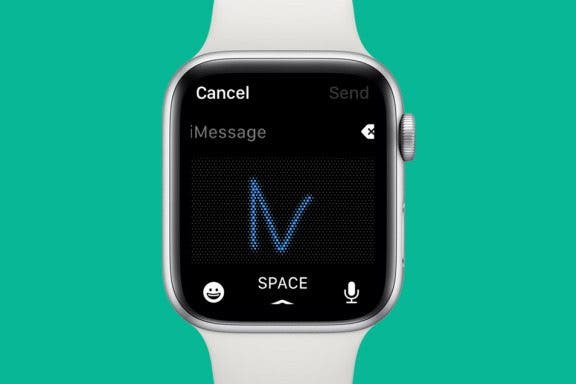
While the Apple Watch keeps getting bigger and bigger, the tiny keyboard may feel a bit unruly and difficult to maneuver, especially if you have clumsy fingers like me. Instead, you can send Apple Watch messages with Scribble. The Scribble feature allows you to use your finger to write each individual letter of your response. It’s easy, but best for shorter messages. You wouldn’t want to write a novel with Scribble messages on an Apple Watch, but you might use it to say, “OK,” or “omw” (on my way). Here’s how to type on your Apple Watch with Scribble.
By Olena Kagui
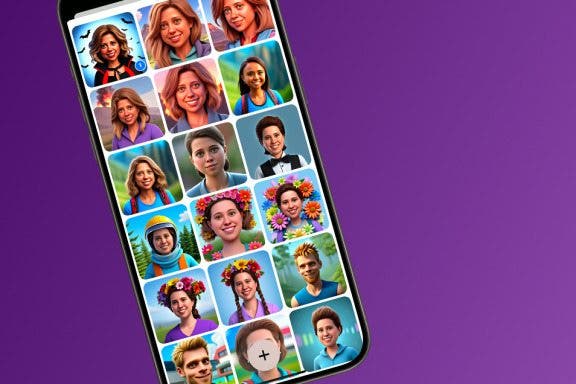
The Image Playground feature in the Messages app also has a standalone app called Playground. The Image Playground library, which contains all your saved generated images, can be accessed from the Playground app, but also directly from the Messages app. Learn how to find all the images you’ve created using Image Playground.
By Olena Kagui
Every new iPhone update comes with new features that may take users time to get used to. The iOS 18 update is unique, offering brand-new ways to customize your device and test Apple Intelligence features. We'll teach you how to tweak your settings to turn this new iPhone update into a blessing rather than a curse.
By Sarah Kingsbury
iPhone Messages timestamps for individual texts are hidden, so you'll need to know how to see an iPhone message timestamp to know when a message was received or sent. We'll walk you through how to see the date and time someone texted you on iPhone with one simple gesture.
By Rhett Intriago
Your iPhone’s tapback feature will be receiving an upgrade in iOS 18. The handy reaction feature allows you to give messages a thumbs up, a thumbs down, or a heart, or react with laughter or shock. The latest version of iOS gives you even more tapback reactions!
By Rhett Intriago
The messages app is much livelier thanks to the latest updates to iOS. With these updates, you can now express yourself in more ways than ever before. Find out how to add effects to iMessage on the latest version of iOS.
By Abbey Dufoe
Within the Messages app, you can send and receive audio messages with other iPhone users. Sending and receiving audio messages is a fun way to communicate with your voice without being on the phone and without using the talk-to-text iPhone feature. Here’s how to send audio messages on iPhone.
By Rhett Intriago
Stickers in iMessage are a fun way to express yourself over text. You can create stickers from photos or use third-party apps to add extra stickers to your library. But how do you delete stickers on your iPhone when you don’t want them anymore? Let’s find out!
By Rhett Intriago
The latest iPhone software allows you to send scheduled texts on the iPhone. However, some users are a bit lost on how to cancel a text once it has been scheduled. The option to cancel a scheduled text is not immediately obvious, but not to worry. We’re here to help. Let’s take a look at how to cancel a scheduled text on your iPhone.
By Rachel Needell
If your iPhone has suddenly or randomly stopped getting text notifications, it may be due to a setting that accidentally changed. We'll go over all the reasons why you may not be getting text notifications on your iPhone.
By Rhett Intriago
By Amy Spitzfaden Both
Our iPhones are capable of so much, yet many of us only scratch the surface with our daily use. Expanding your iPhone skills doesn’t mean you have to create feature-length movies or become a high-level app developer. You can simply learn hidden features that make your daily tasks easier. So, let’s take a look at the best hidden iPhone tricks to make your iOS use a little easier and a lot more fun.
By Rhett Intriago
The latest version of iOS introduced a feature that automatically transcribes audio messages sent through the Messages app. This certainly comes in handy if you’re unable to listen to an audio message, as you can just read what the message says in the form of a text. But what should you do if your iPhone is running iOS 17 and audio message transcription is not working? Read on to find out how to troubleshoot this issue.
By Sarah Kingsbury
Message previews are handy for allowing you to catch a quick glimpse of texts, but they also allow prying eyes to see private conversations. If you have a friend or coworker who has a bad habit of trying to glance at incoming texts, turning off message previews might give you some peace of mind. Find out how to hide messages on iPhone by disabling previews.
By Ashleigh Page
Apple previewed iOS 18 at the June 10 WWDC Keynote, and the latest updates are all themed around customization, convenience, and the integration of Apple's personal intelligence system. With iOS 18, it's now more convenient than ever to communicate, view needed information, and make fun new edits to photos. Let's go over all the new iPhone features we have to look forward to in the fall, including satellite-based texting, the all-new Image Playground featuring AI-generated images, improved customization options, and much more.
By Amy Spitzfaden Both
While SharePlay has been around since iOS 15.1, it was only possible to use in the FaceTime app. With iOS 16 you can now use it in the Messages app too. For those who aren’t familiar, SharePlay can be used for two or more people to watch content from apps such as Neftlix, Spotify, etc., together simultaneously. Here's how to use SharePlay in iMessage.
NULL