Warmer weather has us spending more time outside, and sometimes we bring our favorite devices along. But is your iPhone waterproof? What if you splash water on your Mac? Spilled water on Apple keyboard? Do you need a waterproof iPad case? Can you wear an Apple Watch in the pool? I'll answer all these questions and tell you how to dry your wet phone or other Apple device safely!
Apple Watch
How to Enable Screenshots on Apple Watch (watchOS 8 Update)
By Conner Carey
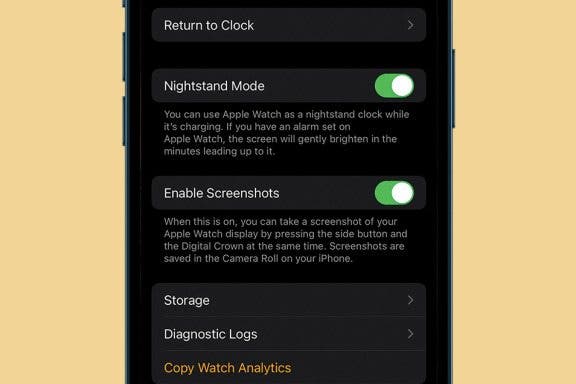
Apple Watch screenshot not working? Because the same command to take a screenshot also manually pauses and resumes workouts, this Apple Watch setting is disabled by default. Don't worry, there's an easy workaround! We'll show you how to enable screenshots on Apple Watch.
How to Turn Apple Watch Workout Progress Alerts On & Off (watchOS 8)
By Ashleigh Page
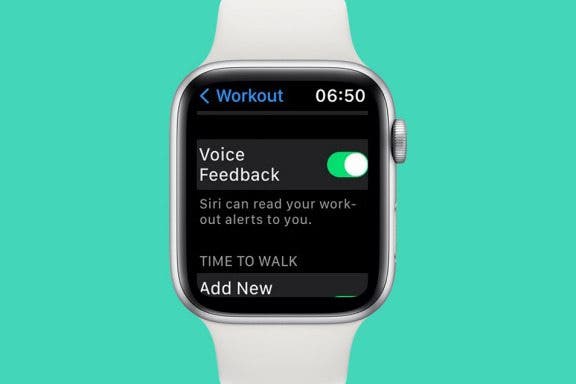
WatchOS 8 introduced Apple Watch workout app progress alerts. Some find this Siri feature motivating, while others feel the verbal notifications are an unwanted disruption. Whatever your preference, we'll show you how to turn these Siri Apple Watch alerts on and off.
How to Fast Charge Apple Watch Series 7
By Olena Kagui
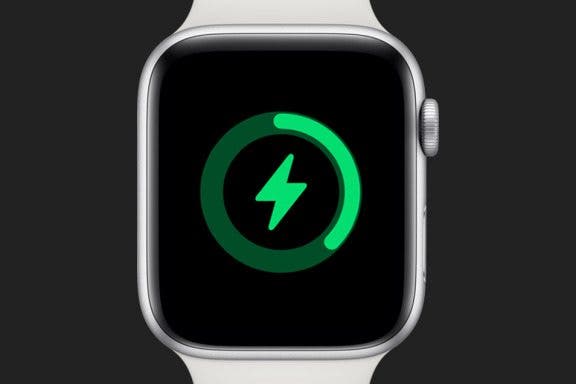
Can you fast charge an Apple Watch? Yes! But only if you have the Apple Watch Series 7 and the USB-C quick charge cable. The Series 7 is a powerful device with many exciting features, including the ability to rapid charge. The faster charging allows the Apple Watch to charge up to 80 percent in just 45 minutes. This means that you can get enough juice to track your sleep in just eight minutes! Here’s how to do it.
Tech Gift Guide: The Best Apple Products & Gadgets of 2021
By Susan Misuraca
In the 172nd episode, David and Donna share all of the best headphones, speakers, cases, smart home gadgets, and more for everyone on your shopping list this holiday season.
Best Health & Fitness Accessories for Your iPhone
By Donna Schill
Having the right health and fitness gear for your iPhone can make all the difference in working out effectively. We've rounded up our favorite iPhone fitness gear from fitness trackers to sweatproof wireless bluetooth earbuds to an armband for bringing your iPhone along on your runs.
Hands on with the Apple Watch Series 5
By Donna Schill
In the 122nd episode of the iPhone Life Podcast, David shares his experiences with the Apple Watch Series 5 after upgrading from the original model. David and Donna also discuss why Apple is expected to skip its October announcement and wait until early 2020 to release a new iPad Pro.
Should You Buy the New iPhone X? Plus, the New Apple Watch, Apple TV & More
By Sarah Kingsbury
Should you upgrade to Apple's $1,000 new iPhone X or defend your dollars and opt for one of the more reasonably priced iPhone 8 models? Sarah and David fiercely debate this point in the 66th episode of the iPhone Life Podcast following Apple's tenth-anniversary event. The team also analyzes the significance of the tech giant's other big updates, from the cellular-enabled Apple Watch Series 3 to the 4K Apple TV.
Are you in the market for a 2021 MacBook Pro? In the 171st episode, David explains what chip, memory, and storage options you’ll need and why. Donna shares her early impressions of the Apple Watch Series 7, and both hosts sing the praises of MagSafe charging.
During the 2021 WWDC keynote, Apple announced some exciting software changes coming to Apple Watch with watchOS 8. And in just a few months, we can expect to see the release of the Apple Watch 7. Rumors include predictions of a significant redesign, smart Apple Watch straps, and maybe even a sensor to monitor blood glucose and alcohol levels!
The Apple Watch Series 7 is here, and it looks a bit different. The redesign gives the newest Apple Watch a softer shape with more rounded corners and a larger, brighter display. The other more prominent changes include new and improved fitness features, a full keyboard, faster charging, a higher dust resistance, new colors, and more! Let's dive into every Apple Watch feature covered in the September 14 Apple announcement, including when you can get the new Apple Watch and the Apple Watch Series 7 price.
watchOS 8 Update: New Apple Watch Features & Release Date
By Erin MacPherson
Apple announced during the "California Streaming" event on September 14 that Apple Watch users have a host of new features to look forward to when they update to watchOS 8 on September 20. Learn when to expect the update to be available for your device, plus which new Apple Watch features you'll notice right away, and which may be delayed!
Review: Activity Tracking without an Apple Watch
By Todd Bernhard
I have an Apple Watch, but there are times when I don't always wear it. That's why I was pleased to try the Activity Tracker app (free) from Bits&Coffee. Even as I type this, my Apple Watch battery has less than 10 percent left. This is why I can't always wear it, but I almost always have my iPhone with me. When combined with the Activity Tracker app, I can keep track of steps via the built-in pedometer independent of my Apple Watch.
NEW: Never Forget Your Phone Again with Apple Watch Alerts
By Olena Kagui
Have you ever left your iPhone behind and didn’t realize it until it was too late? We’ve all been there! Luckily, your Apple Watch can now alert you if your iPhone, or other Apple products, have been left behind. Plus, there are other Apple Watch features to help you find your iPhone once you’ve returned to the location where you left it. I’ll walk you through the steps!
Apple's fall 2021 event, called "California Streaming," opened with a video montage that seemed designed to sell the audience on how beautiful California is. The montage then concluded with Tim Cook stepping onto a stage at Apple Park in Cupertino. Perhaps this is Tim Cook's way of trying to persuade remote Apple employees reluctant to give up working from home that it's time to return to the office? From there, Cook and the Apple team introduced a host of new products including the iPhone 13 lineup consisting of four new models, a ninth-generation iPad and sixth-generation iPad mini, and the Apple Watch Series 7 (but no Apple Watch SE update). Notably, no new AirPods were announced. While some of the new iPhone camera features are pretty exciting (Cinematic Mode, anyone?), there were no big surprises during the event. But even so, shiny new iPhones, iPads, and Apple Watches are always exciting. Here's everything you should know about Apple's latest devices.
Beautiful Apple Watch Bands for Under $50
By Conner Carey
You’ve already spent a pretty penny on the Apple Watch, but you want to buy a different wristband too. The sport band that comes with the Apple Watch sport edition is great and easy to put on, but it’s missing the classic, minimalist style I so cherish. Yet, both Apple and third-party watch bands tend to be around $75 on the low-end and can reach over $250: you’ve got to be kidding. That’s why I set out to build a list of beautiful, classy, and/or radical Apple Watch bands you can buy for under $50.
How to Set a Passcode on the Apple Watch
By Conner Carey
A passcode on an Apple Watch works a bit differently than a passcode on an iPhone. On an iPhone, you have to enter the code or use Face ID or Touch ID every time the screen turns off. But it would be super annoying if you had to enter the password on your Apple Watch each time you lifted your wrist—no one would use one if that were the case. A passcode on an Apple Watch is only asked for when your Apple Watch restarts and when you’ve removed the watch from your wrist and put it back on. That’s why this Apple Watch feature is an effective privacy measure, and not so inconvenient that users won’t bother setting a passcode. Here's how to set a passcode on your Apple Watch.
You probably already know that you can control your iPhone’s music from the Apple Watch. And if you have the Apple Watch Series 3 with Cellular, you know you can stream music directly on your watch without your iPhone. But if you have an Apple Watch without cellular data and want to leave your phone at home, how will you listen to music without your iPhone? And if you have the Apple Watch Series 3 with Cellular, how can you listen to music without data or Wi-Fi? The best way to listen to music while running or doing another iPhone-free activity is to put it on your Apple Watch, of course. We’ll go over how to make a playlist on your iPhone, how to sync music to your Apple Watch, and how to pair Bluetooth headphones with your Apple Watch so you can listen without data. Here’s everything you need to know about how to add music to your Apple Watch.
Every fall, Apple's events shake up the tech world with exciting product releases! This year, we expect several events, announcing a series of new iPhone 13, Apple Watch 7, AirPods 3, two new iPads, a new MacBook Pro, and maybe some brand new devices. Let's dive right in!
Follow Our iPhone 13 Event Coverage on September 14
By Leanne Hays
Apple will hold a fall event, called California Streaming, on the 14th of September at 10:00 a.m PDT. We'll finally find out if the rumors are true about the new iPhone 13 line, as well as other devices such as the Apple Watch 7, new AirPods Pro and AirPods 3, new iPad mini and iPad ninth generation, and a possible new MacBook Pro. Our team will be watching the Apple event livestream, and we'll host a conversation in our private Facebook group as the event happens; you're invited to join in, ask questions, and share your opinions. We'll tape a special podcast episode after the announcement, where we’ll discuss everything just announced. Read on to learn more about how to be a part of our event coverage.