By Rachel Needell
Updated 03/13/2024

* This article is from our Tip of the Day newsletter. Sign Up. *
Did you know there is a quick way to resend a sent email in the Mail app? On your iPhone's Mail app, there's a handy little button that allows you to send an already-sent email again without having to forward it or copy and paste it into a new draft. Here's how to do it!
Why You'll Love This Tip:
- Quickly resend an email with a simple tap.
- Avoid re-forwarding or copy-pasting the whole email into a new draft just to send it again.
How Do You Resend an Email
While forwarding an email is a fine way to resend an already sent email, this way is much quicker. If you like learning cool tips about your iPhone, be sure to sign up for our free Tip of the Day!

Discover your iPhone's hidden features
Get a daily tip (with screenshots and clear instructions) so you can master your iPhone in just one minute a day.
- On your iPhone, open the Mail app.
![resent an email]()
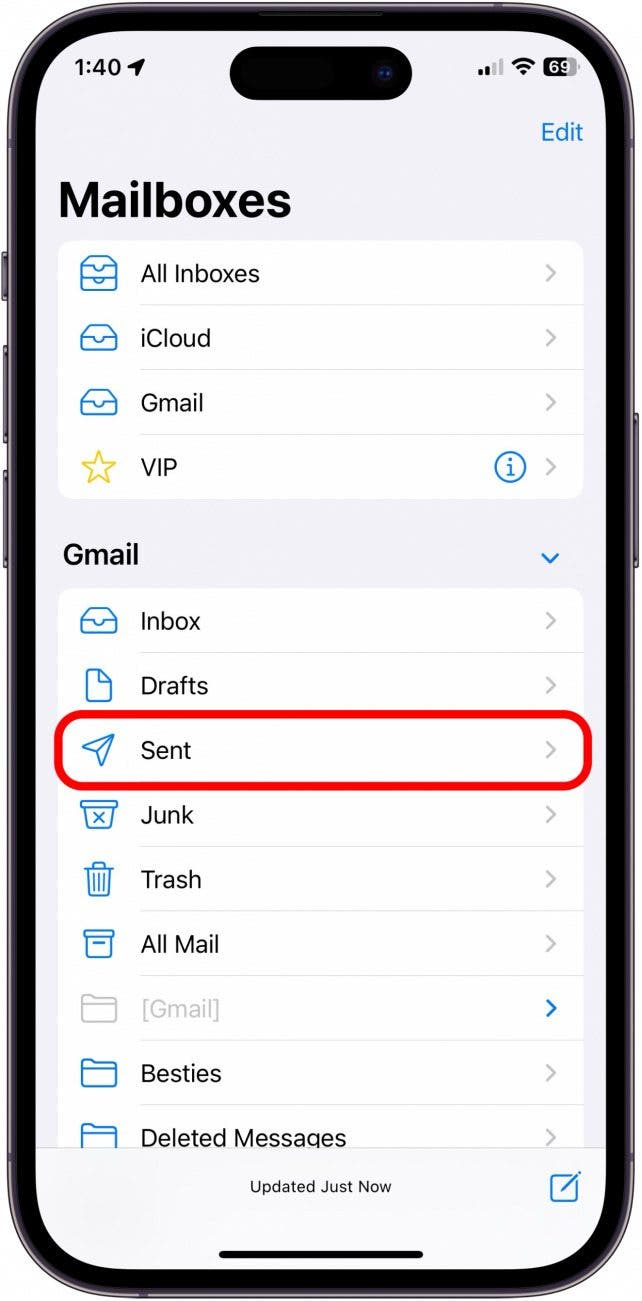
- Go to Mailboxes.
![resend email]()
- Tap Sent.
![resent email]()
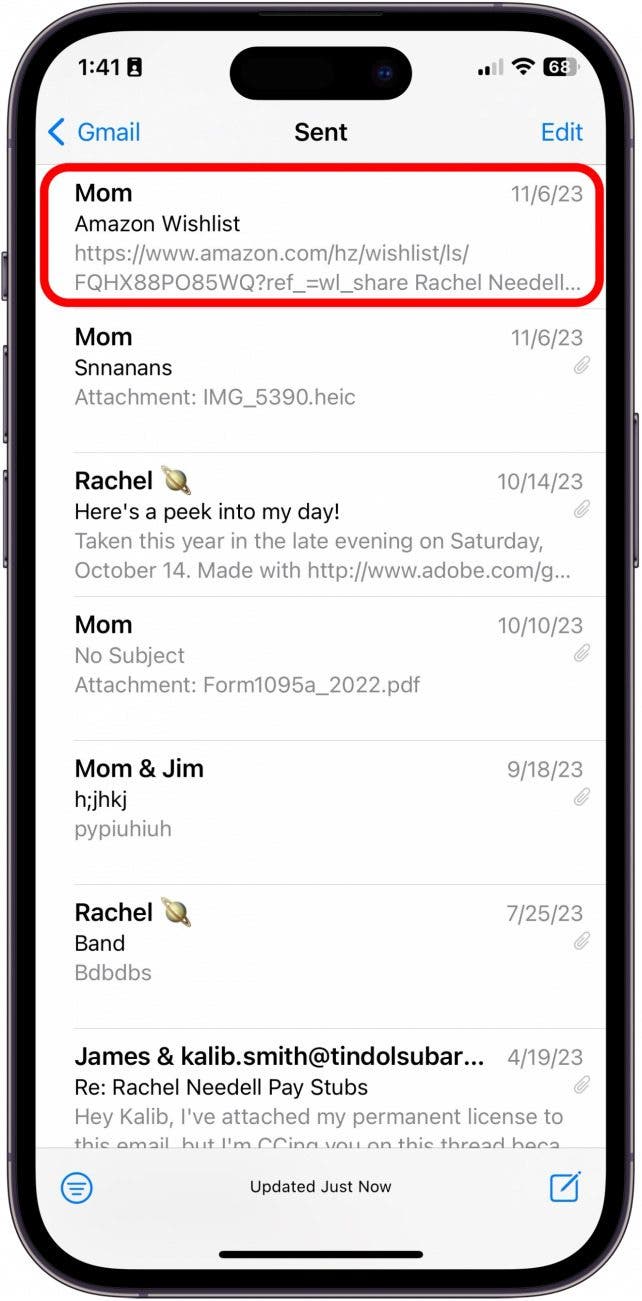
- Select the email you want to resend.
![how do you resend an email]()
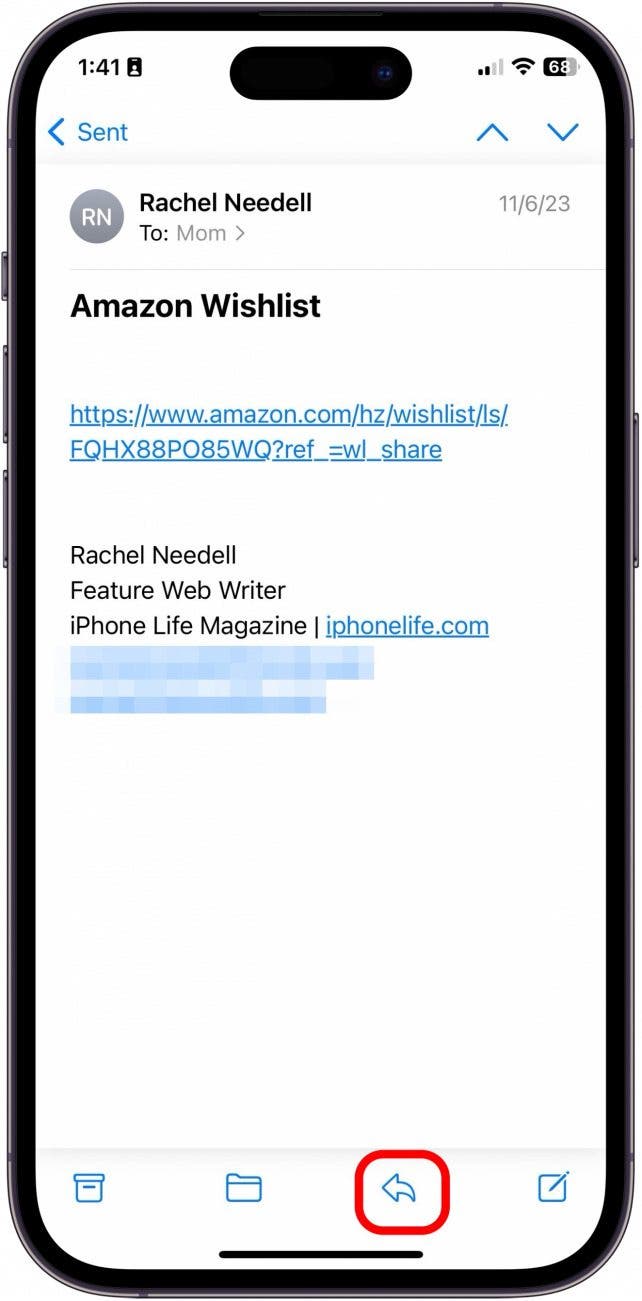
- Tap the Reply button.
![how can i resend an email]()
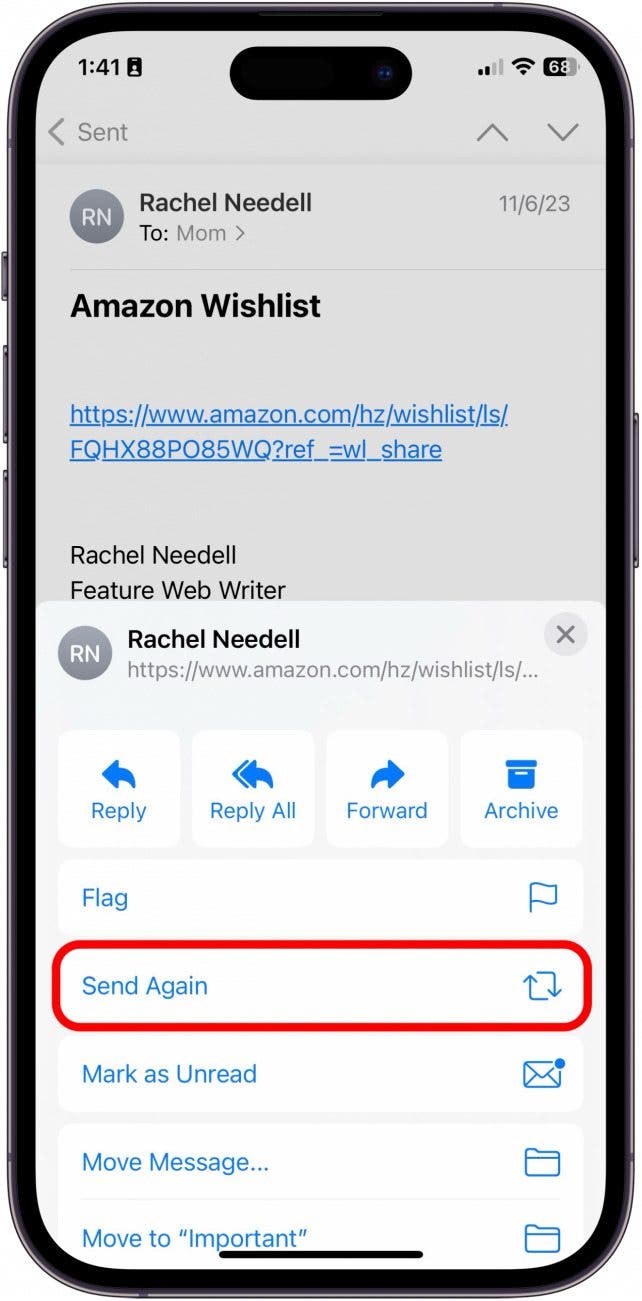
- Tap Send Again.
![how to resend an email already sent]()
- Now, you can edit the body of the email, change the recipients, and send the email again.
![]()



And that's how you go about resending an email in Mail. I love this quick trick, and hopefully, you will too!